
Literate Chinese Review: Why I Like Its Approach to Reading
Publication: · Tested platform and version: iOS 1.8.4
Literate Chinese is a thoughtfully designed Chinese reading app that I would recommend for regular reading and vocabulary practice. Its strongest idea is keeping the words you study connected to the stories you read. Two details particularly won me over: the depth of its word explanations, and a little activity grid that made me want to fill in the next square.
I’m Jake from GoEast Mandarin and a native Chinese speaker. I used Literate Chinese on iOS, version 1.8.4, on and off over three days, for about half an hour at a time. I focused on the reading experience, the clarity of the word explanations, and how easily I could move between stories and vocabulary review. GoEast Mandarin and Literate Chinese are partners; I redeemed free Premium access using the GOEAST code.
Literate Chinese review: what makes the app stand out?
The connection between reading and vocabulary is the main reason I like Literate Chinese. Your personal word bank helps the app identify suitable stories, while words you save from those stories become material for later review. It gives the time spent looking up a word a useful next step.
The official app listing describes a library of more than 1,000 graded stories, from beginner to advanced. Each story shows the percentage of characters the app considers familiar to you. That gives you a more personal guide to difficulty than a broad level label alone.
There is a personal reason behind the design, too. Founder Ray Banks grew up speaking Chinese without learning to read it, and built Literate Chinese to help others develop that reading ability. The focus on connecting familiar language, characters and reading makes sense in that context.
What is reading in Literate Chinese like?
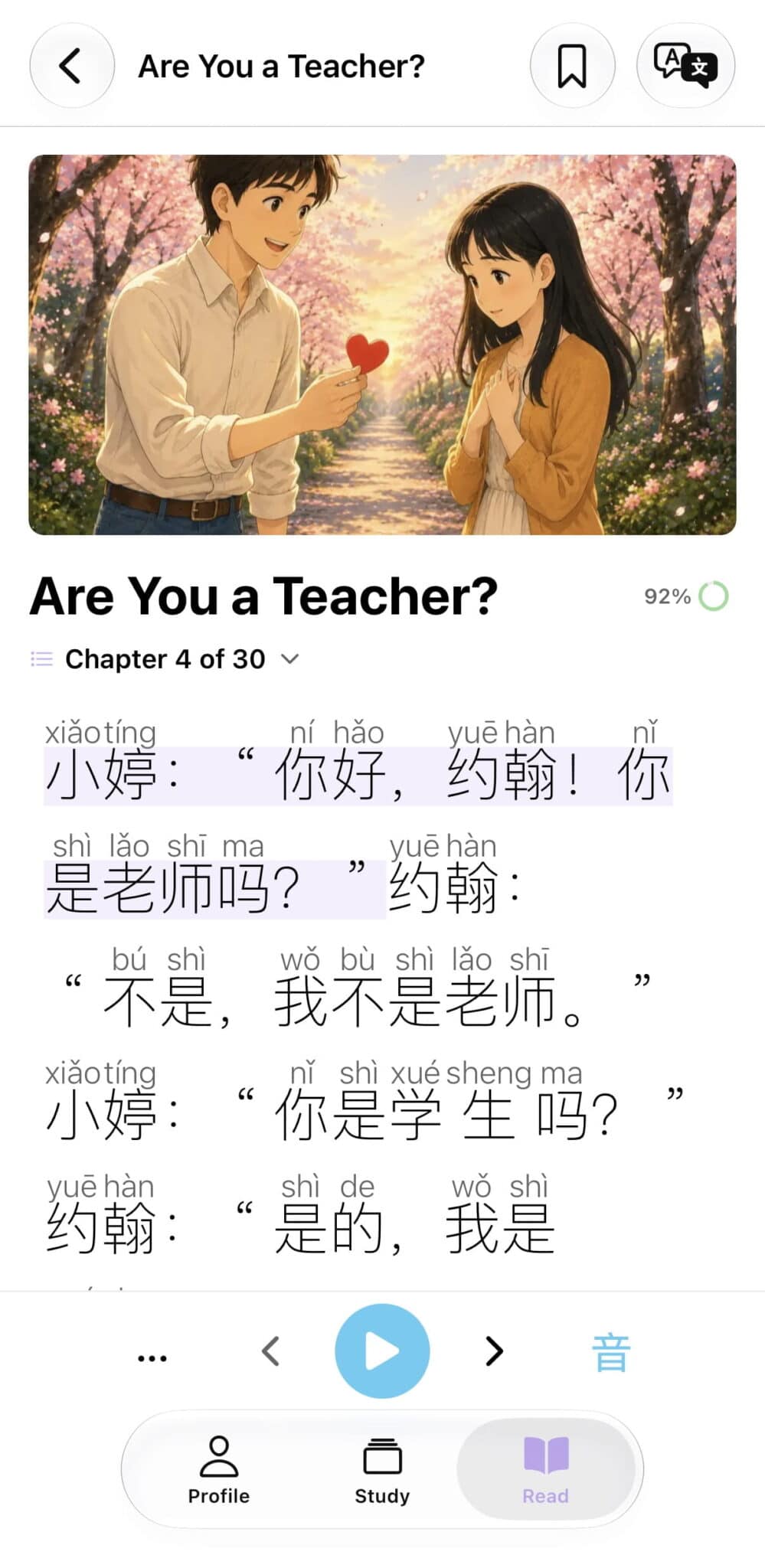
The reading screen puts the help you need beside the text. In Are You a Teacher?, pinyin appeared above the characters, with playback controls below and word lookup available by tapping the text. The 92% beside the title shows character familiarity based on the app’s record of what you know.
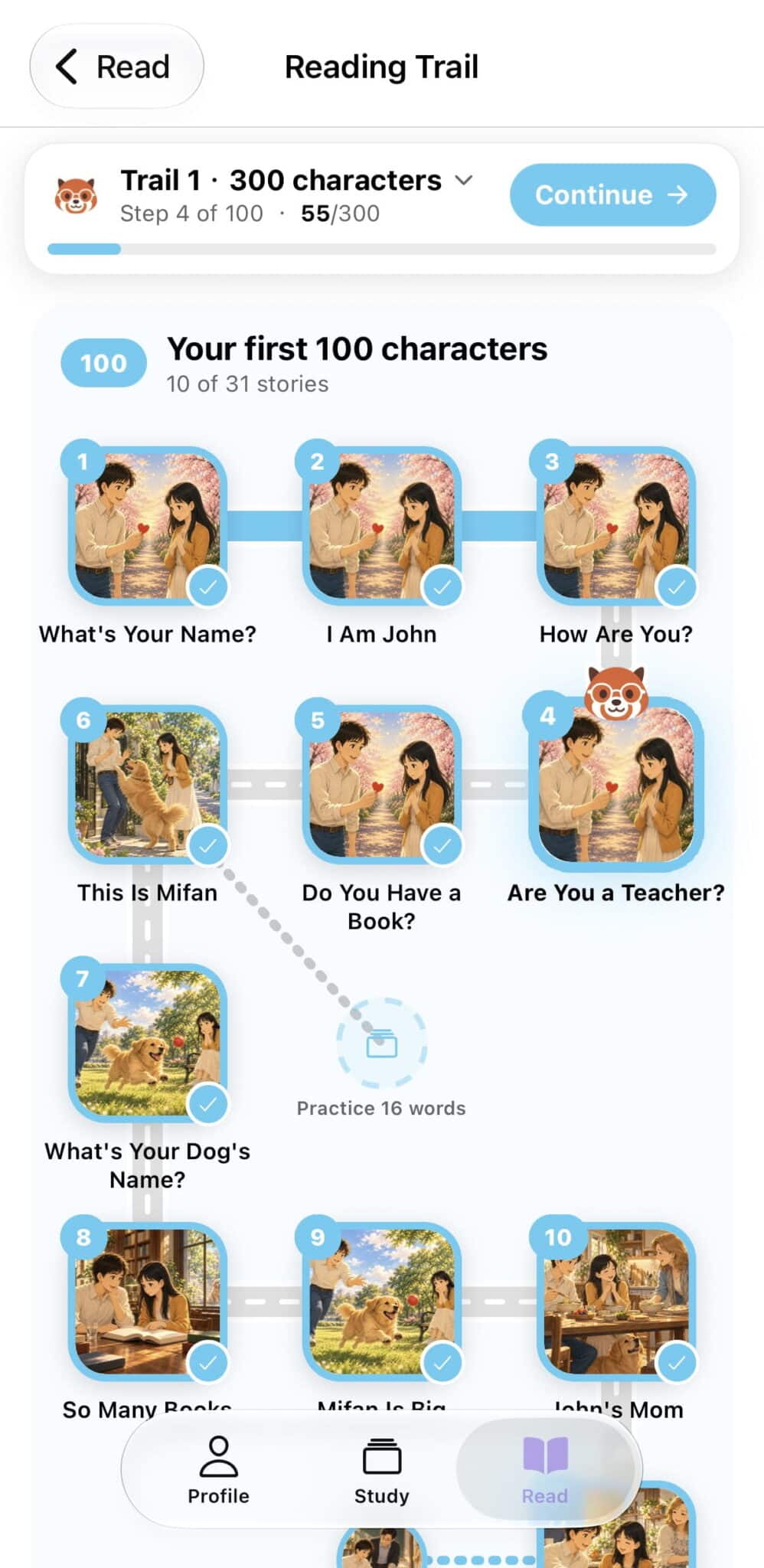
I also explored Reading Trail, which arranges stories along a route with completion marks and a Continue button. The first trail is labelled “300 characters” and includes a section for the first 100. For someone beginning to read, having a clear next story to open is a helpful detail.
A Closer Look was my favourite feature
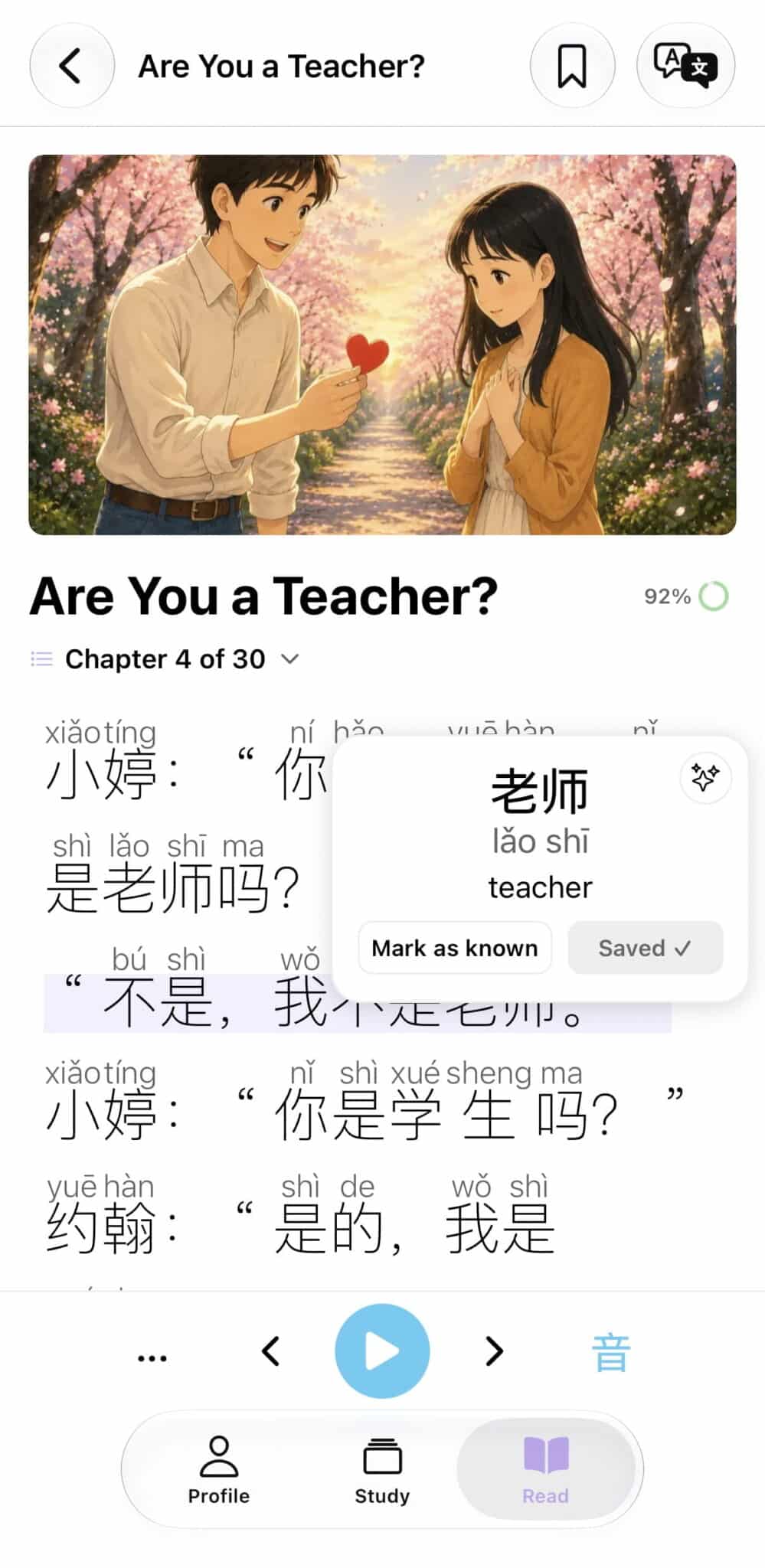
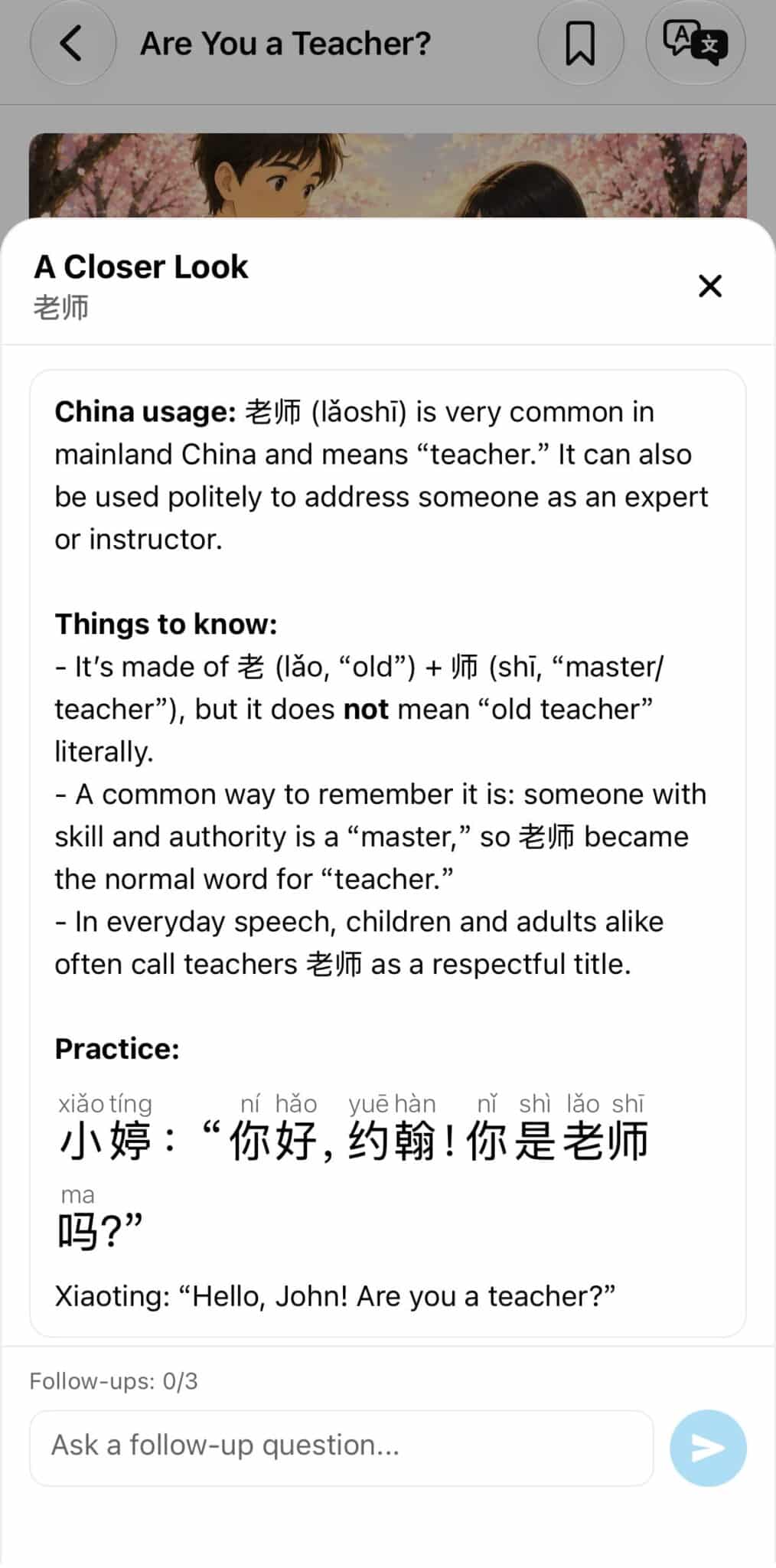
Tapping a word first gives you the essentials: pinyin, a short English meaning, and options to save it or mark it as known. The sparkle icon in the top-right opens A Closer Look, which adds a much fuller explanation.
An example from my test. I tapped 老师 lǎoshī, meaning “teacher,” in Are You a Teacher?. A Closer Look explained everyday usage, offered a memory aid and showed a sentence with pinyin and an English translation. The same word also appeared in my Saved words list.
I really liked this extra layer. A short definition lets you carry on with the story; the longer explanation is there when you want to understand how a word is used. It is the kind of detail that makes a reading tool more useful without crowding the first pop-up.
The developer identifies the word helper as AI-powered. It can explain usage, regional differences and whether a word is common, and the panel includes a space for follow-up questions.
Useful choices for different Mandarin learners
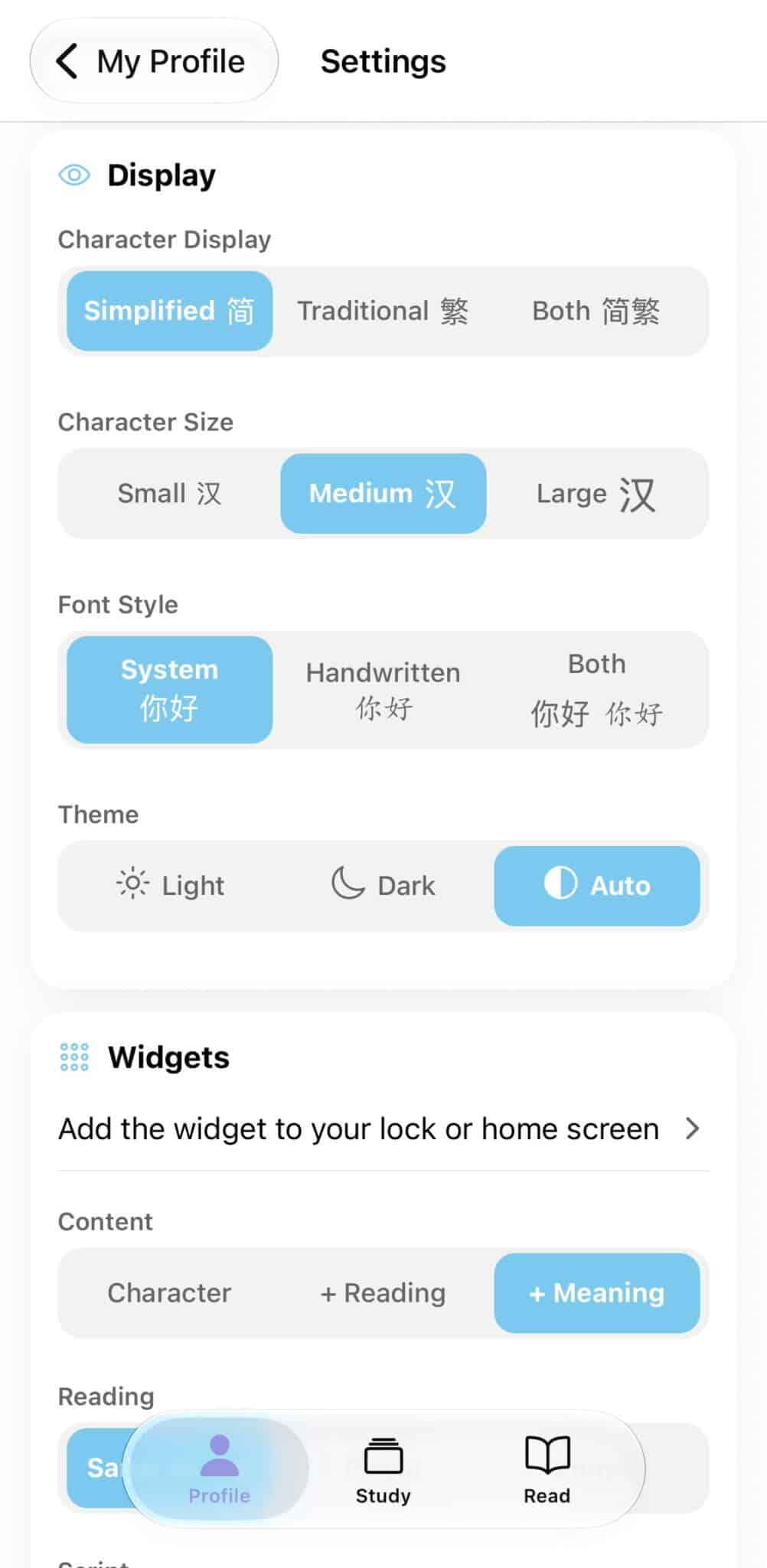
The iOS settings offer Simplified, Traditional and Both character displays, along with character sizes, system and handwritten font styles, and light or dark themes. I used simplified characters during this test.
The regional support goes further than script choice: Literate Chinese supports Mainland and Taiwan Mandarin audio, regional vocabulary, and pinyin or zhuyin. That gives learners a way to match the app to the Mandarin they are studying.
One small interruption during my test: very occasionally, audio took a few seconds to start after I tapped Play. It was a minor annoyance and did not stop me using the app.
How do saved words and the FSRS update work?
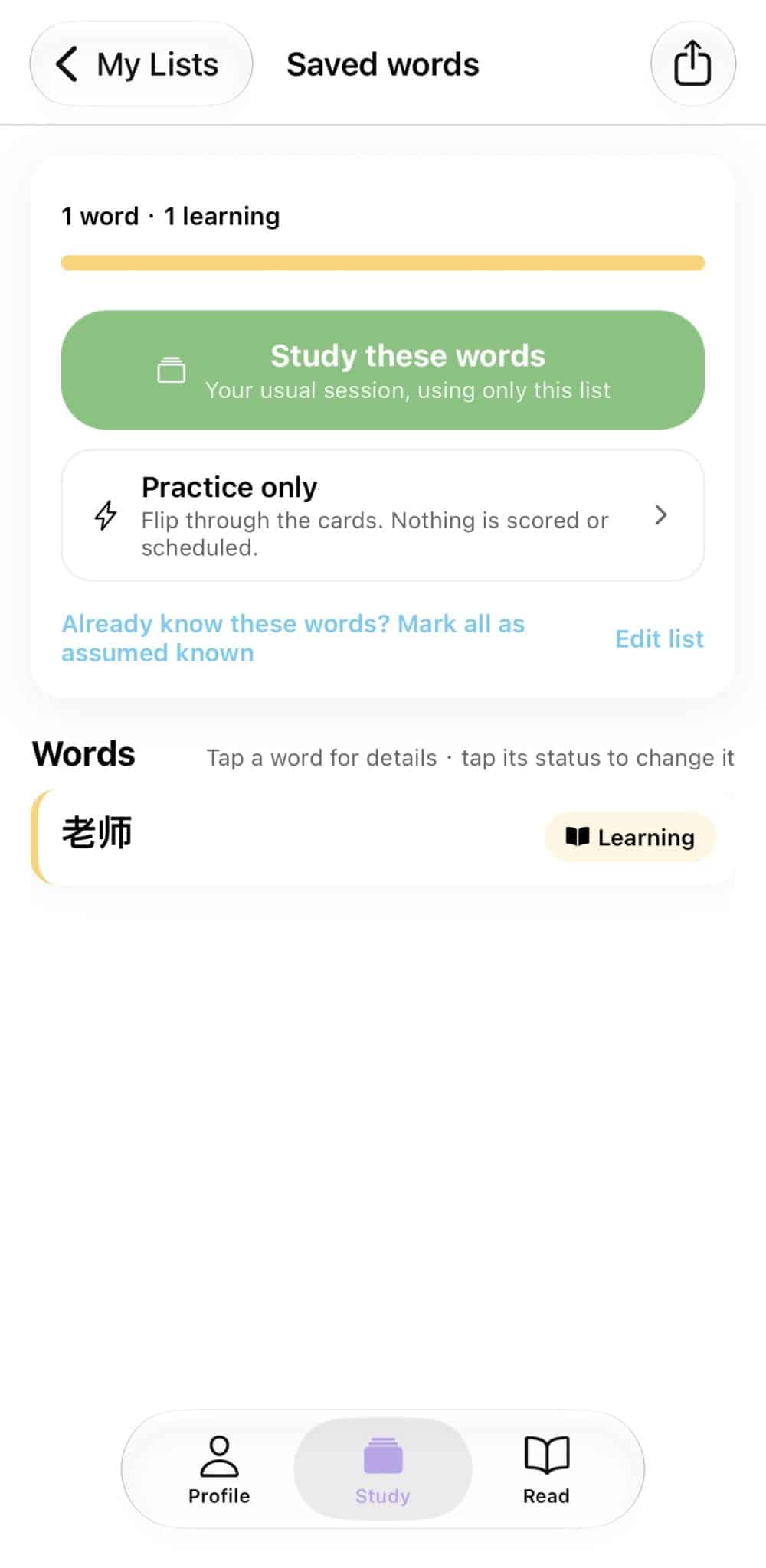
Saving a word gives it a place in your study routine. My Lists showed Your Next Words and Saved words, with controls to change their order. Opening a list offered two useful options:
- Study these words: a study session using that list.
- Practice only: a way to browse the cards without scoring or scheduling that practice.
Saved-word flashcards also link back to the original sentence, according to the developer’s fact sheet. I like the thought behind that: when you revisit a word, its context is still within reach.
The version 1.8.4 release notes confirm that flashcard reviews now use FSRS, short for Free Spaced Repetition Scheduler. Also available in Anki, it determines when material should return for review.
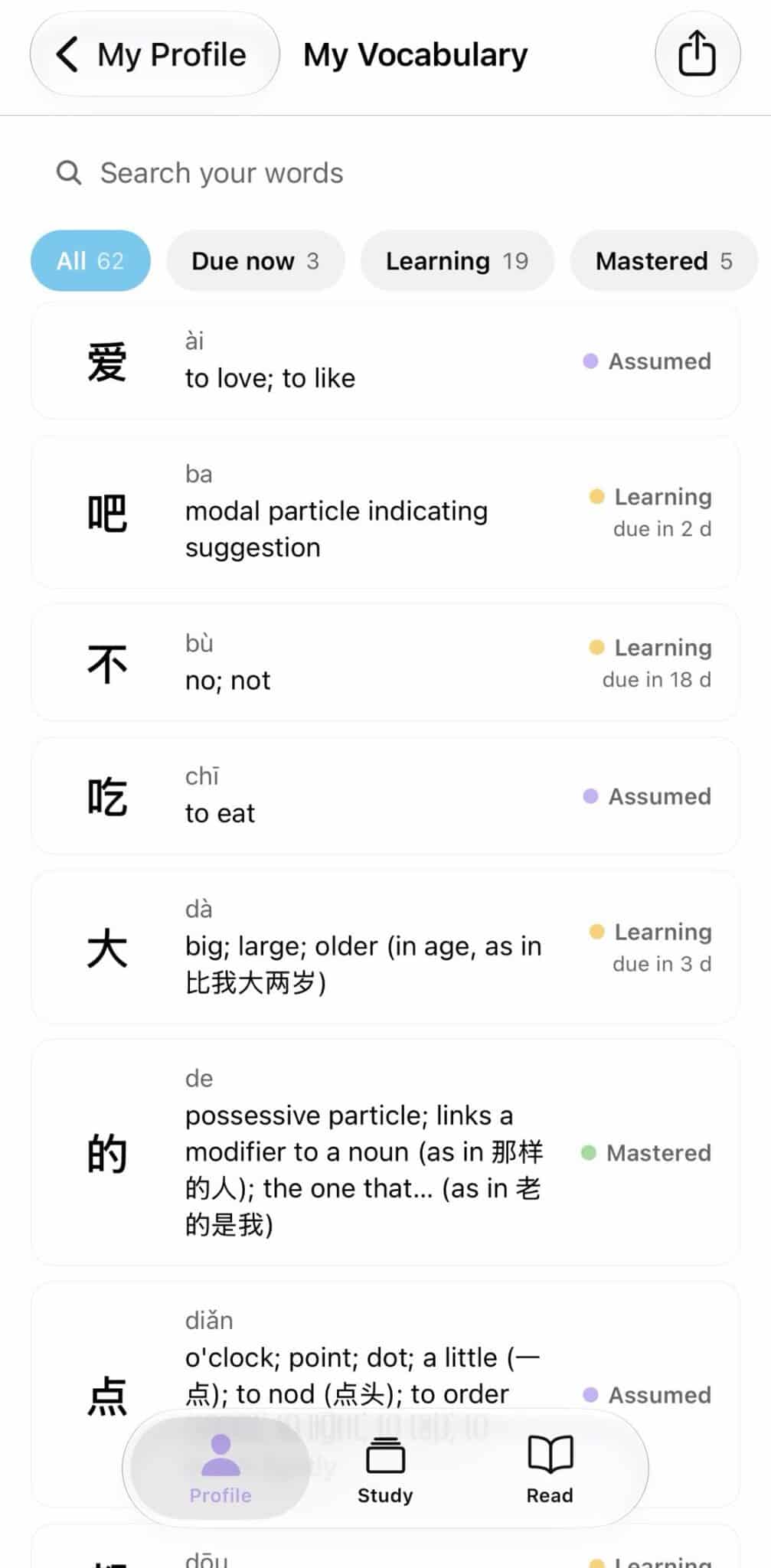
The update adds individual word-difficulty tracking and a daily review limit. In the app, My Vocabulary separates words that are due now, learning or mastered, and shows upcoming review times. Together, those tools give the reading-and-review routine a clear structure.
The activity grid I wanted to keep filling
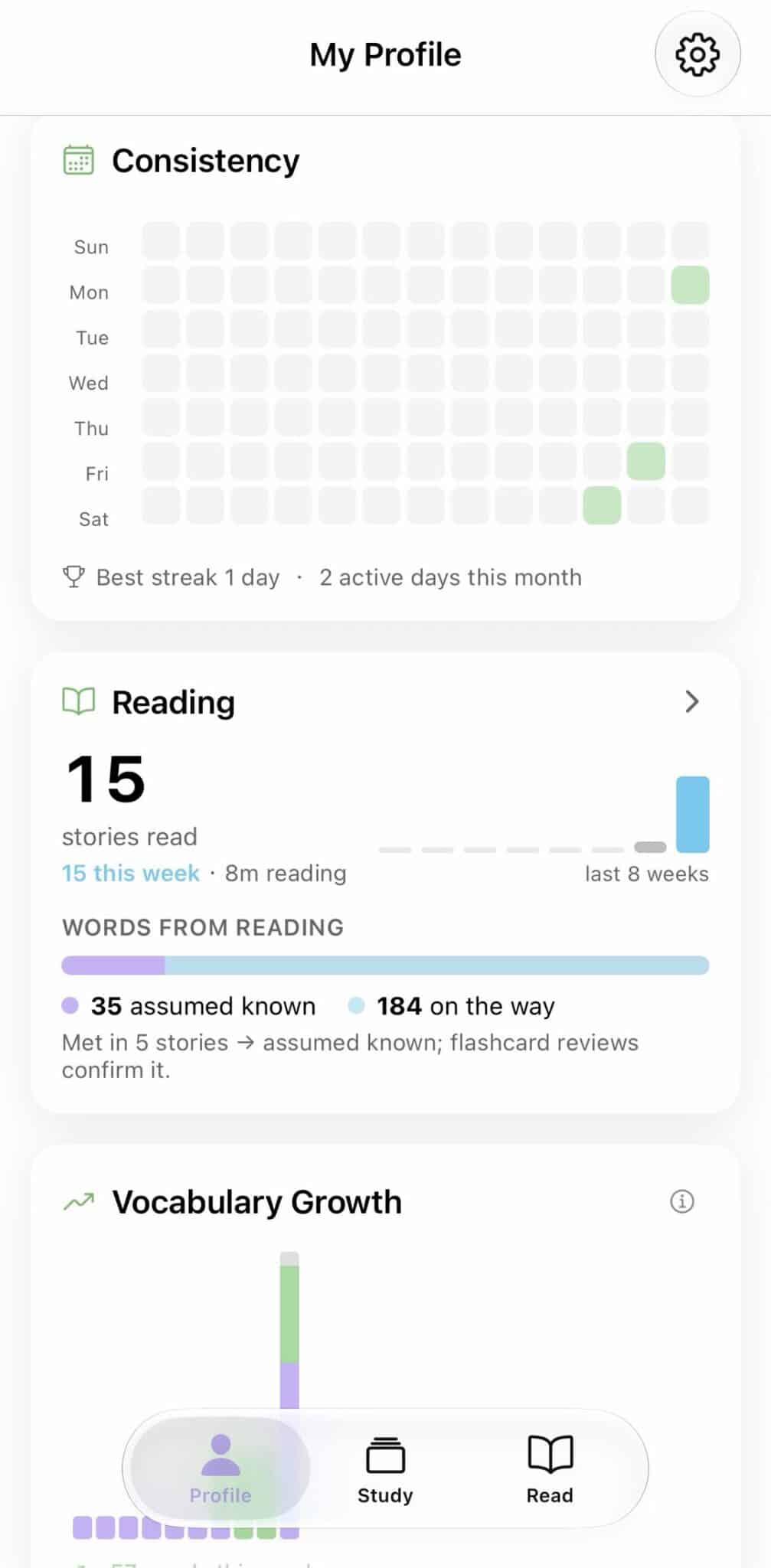
The Consistency grid on the Profile screen was the other feature that really appealed to me. It shows activity as a calendar of small squares, alongside a streak and active-day count.
I like being able to see the effort I have already put in. I am also exactly the sort of person who sees empty squares and wants to fill them. During this short test, that little grid gave me an extra reason to return to the app.
What is free, and what does Premium add?
You can explore the reading-and-review approach before subscribing. The developer’s October 2026 fact sheet makes the distinction clear:
| Plan | What is included |
|---|---|
| Free | Flashcards, vocabulary games, word lists, the news issue and a selection of graded stories. |
| Premium | The full story library and all audio voices, alongside the core study tools. |
Progress and saved words remain available on the free tier if a subscription ends. That is a welcome detail: the vocabulary you have collected stays with you.
If you want a taste of the reading material first, Literate Chinese also has free stories you can read in your browser.
How can GoEast Mandarin students get three free months of Premium?
GoEast Mandarin students can use the GOEAST code to redeem three free months of Literate Chinese Premium. I redeemed it successfully on iOS and used that access for this review.
The October 2026 partner fact sheet gives these offer terms:
- Free access: three months of Premium.
- Discounted renewal: US$8.99 per month after the free period, compared with the regular US$12.99 monthly price, unless you cancel.
- Cancellation: you can cancel immediately after redeeming and keep the full three free months.
- Eligibility: all GoEast Mandarin students on iPhone and iPad; on Android, students who have never subscribed.
- Offer validity: currently listed through July 2027.
Use the student redemption page and follow the instructions for your device:
- iPhone or iPad: select the redemption button and follow the App Store prompts.
- Android: install the app, open a Premium story and choose Subscribe. In the Google Play payment sheet, select your payment method, choose Redeem code and enter GOEAST.
The Android steps come from the offer instructions; my test was on iOS. Check the price and renewal details shown by your store before confirming.
My suggestion for getting started is simple: choose one story, save a few words you want to revisit, and open that list in Study. That is where the app’s design comes together—and why I think Literate Chinese is a worthwhile addition to regular Chinese practice.
Key takeaways
- A personal vocabulary bank connects story selection, word lookup and review.
- A Closer Look adds the detailed usage explanations I particularly liked.
- The Consistency grid gives practice a visible record and made me want to return.
- Free study tools and flexible language settings make it easy to explore the app before choosing Premium.
Try three months of Literate Chinese Premium
GoEast Mandarin students can use GOEAST to explore the full story library and all audio voices under the student offer.